At Trevolution Group (part of Dyninno Group ), we've developed a unique designer skillmap that categorizes skills and competencies
into an engaging hierarchy, ranging from the foundational knowledge of an 'Apprentice' to
the expert teachings of a 'God'. This skillmap helps designers understand where they stand
and how they can enhance their design prowess. And you can also take a quick test to see
where you land!

Skillmap for designers
2024 · Management
In response to negative feedback about our calorie counter feature on the App Store
and Google Play, we sought to identify and address the issue within this aspect of the
product.
Why Skillmap?
In short, it's about effective leadership. When I joined Trevolution, I needed a
clearer understanding of designers' ratings, grades, and development plans. To help
the team grow, it's crucial to understand their strengths and weaknesses. That's where
the skillmap comes in.
First and foremost, skillmapping is about developing our main resource - our
designers. Defining their current status is the first step in helping them grow,
develop, and reach their goals. Achieving our professional goals brings the endorphin
rush of a job well done and keeps us moving forward. Without clear goals, frustration
and stagnation can set in. Growth, even slow growth, is essential.
Here's what each level means:
Apprentice
Just starting to understand the skill
Explorer
Understands and regularly uses the skill
Ninja
Proficient in the skill, applies it effectively, and has a strong opinion
God
Expert in the skill and capable of teaching it to others
Skill Examples
For Design Systems
God
Works with variables and collaborates closely with developers,
maintains versioning and branches, and writes weekly
updates on changes
Ninja
Builds a token system within design tools like Figma
and creates multi-brand design systems
Explorer
Creates an extensive library of design components,
understands atomic design, and documents each
component in detail
Apprentice
Connects to the design system library, understands its usage, and
can create primitive components consistent with the
design system style
Skill Examples
For Adobe Photoshop
God
Uses templates, actions, and scripts to
optimize work
Ninja
Performs complex color corrections, processes using layers and color channels, and creates intricate collages with
realistic effects
Explorer
Executes advanced color corrections, quality
masking, and natural composition of objects
Apprentice
Performs basic color corrections, processing, and
masking
You can find all the descriptions here
We also briefly specified which skills we need from the team. Here, we show what level
of skill (and at what grade) we expect from the designer. The numbers stand in this
order: 1 - Apprentice, 2 - Explorer, 3 - Ninja, 4 - God
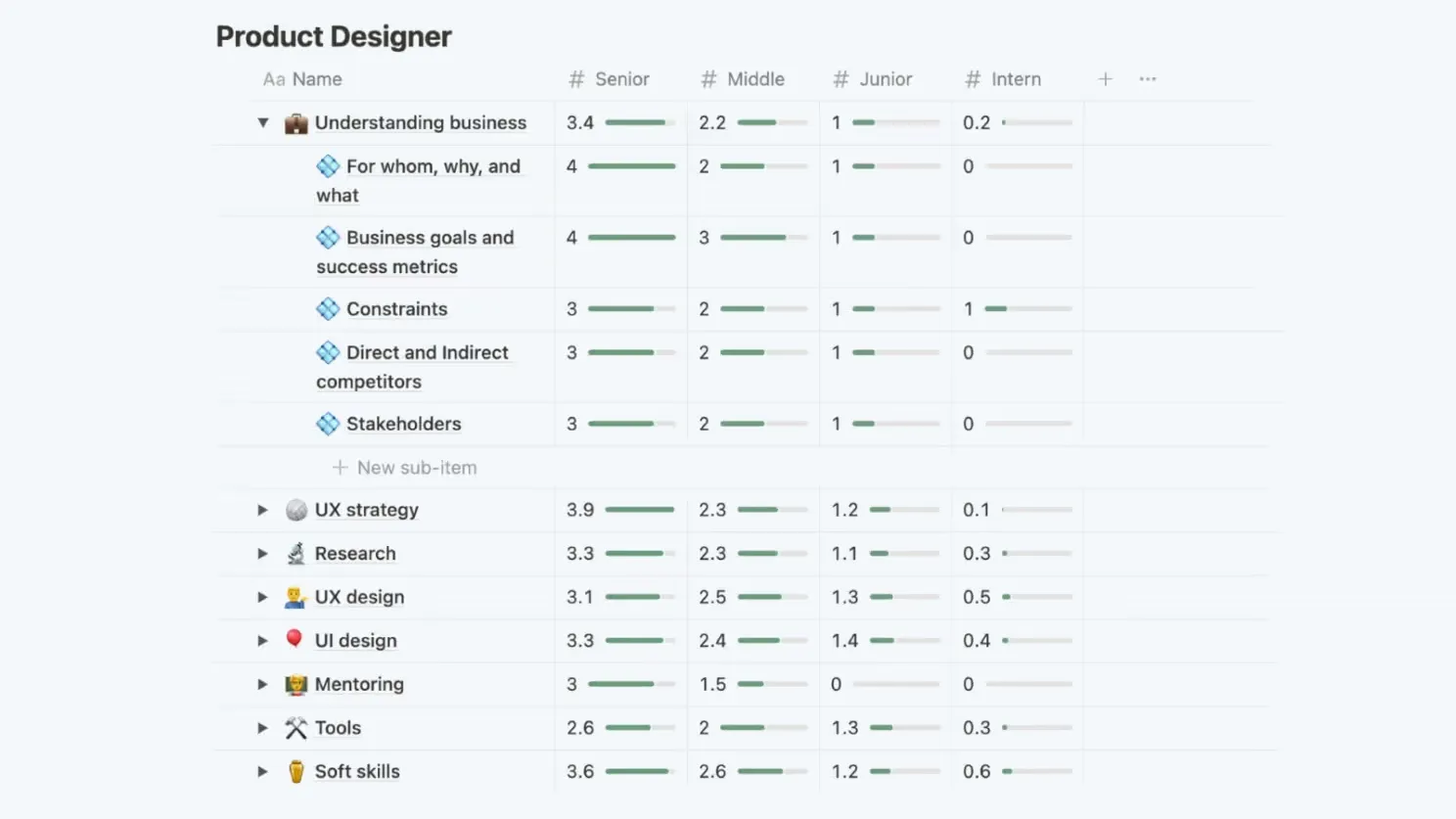
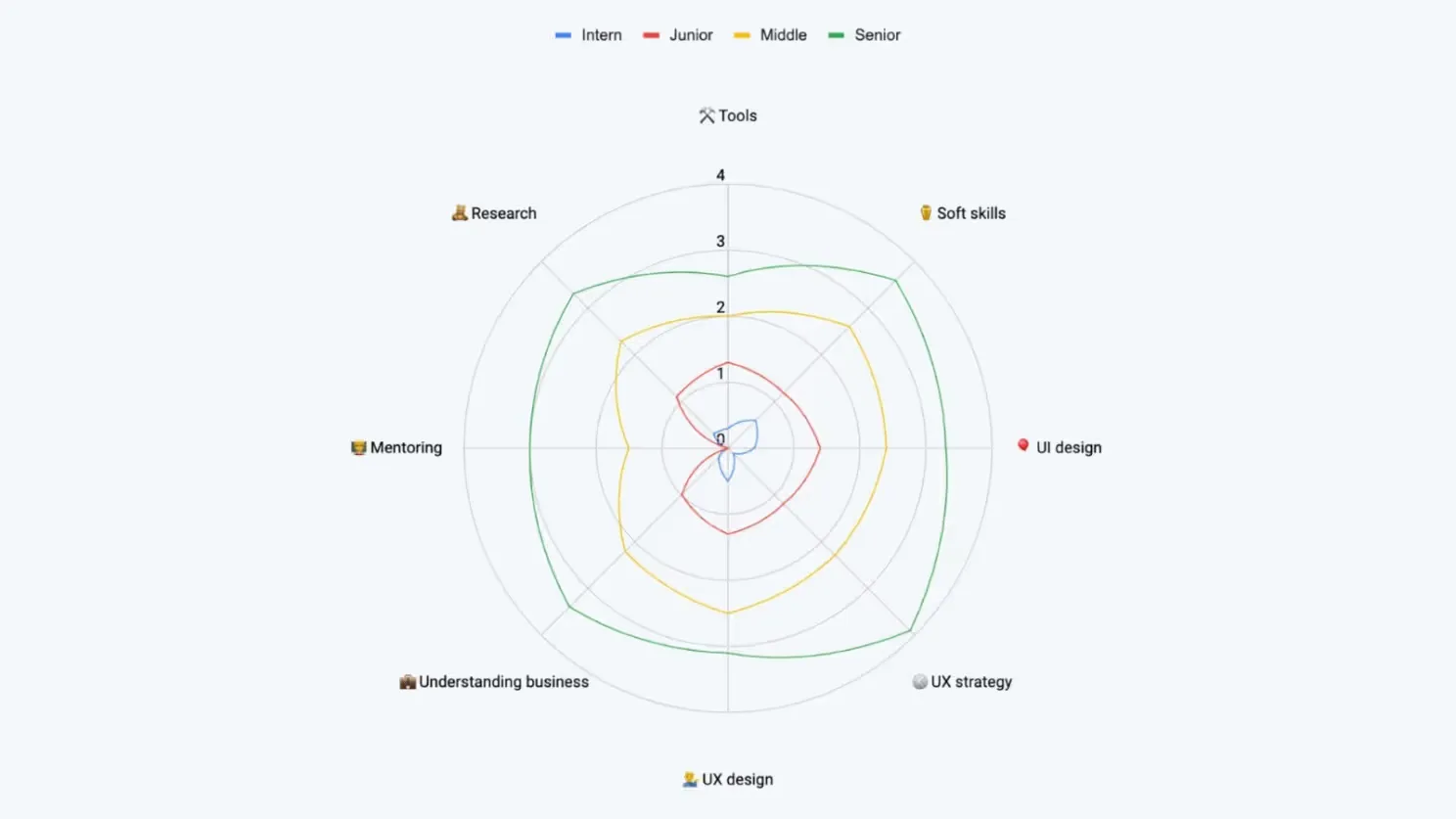
After we have mapped out the skill set of our designers, we look at our team and
decide what we can require from Seniors, Middlers, and Juniors. We can require God
level from seniors, Ninja from middlers, Explorer from juniors, and Apprentice from
interns.
As with anything, there is gradation to gradation. For product designers, we typically
require Explorer-level skills in Photoshop. However, if someone has God-level
expertise, that's a bonus but not necessary for the role. In the same vein, we don't
require any Photoshop skills from our interns.
Implementation
There are lots of great tools for creating competency maps, but since they're pretty
expensive and we already use Notion, we decided to stick with it. Each designer
already had their own Notion page with their 1-to-1s, useful links, and agreements
with the lead.
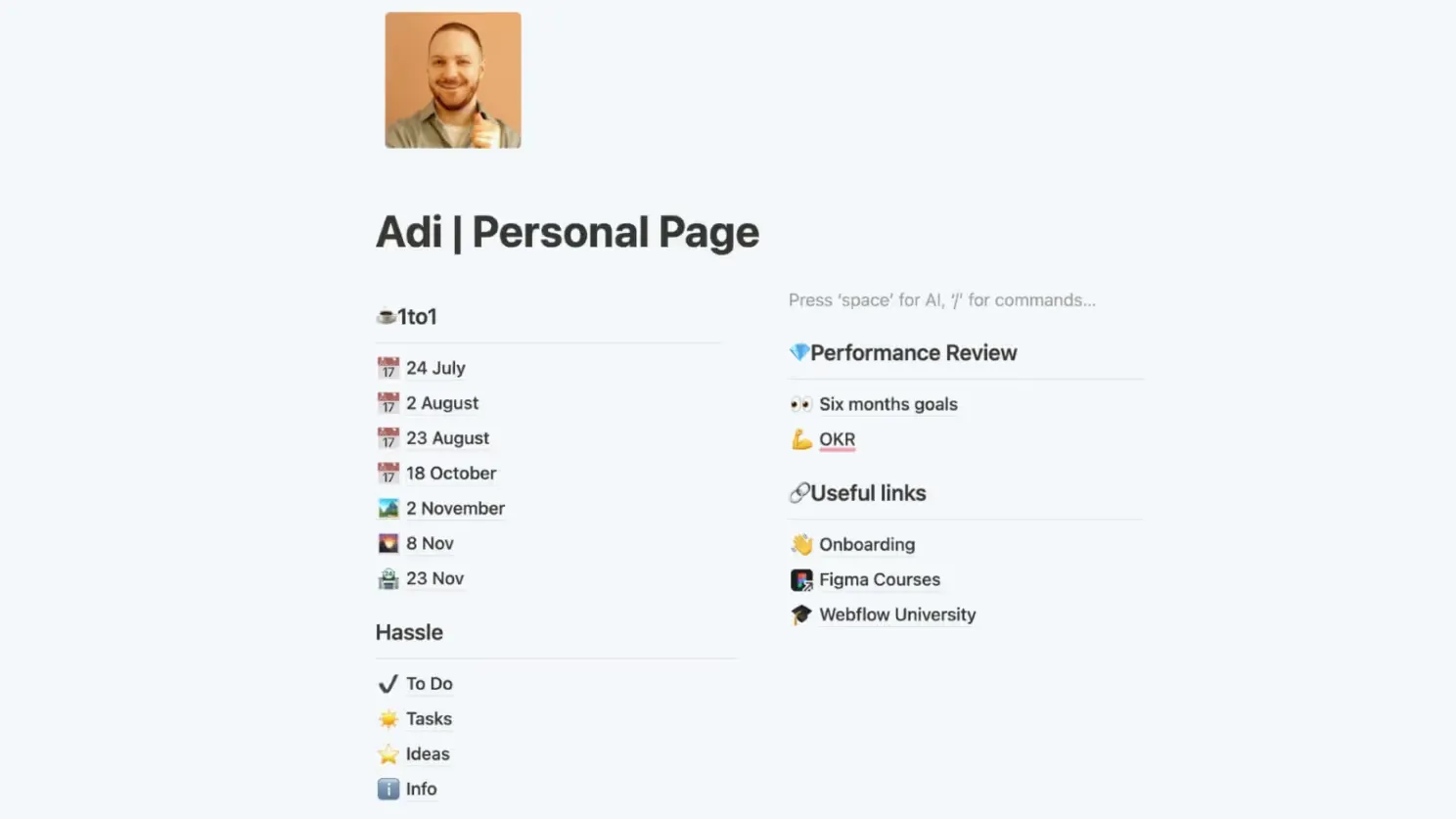
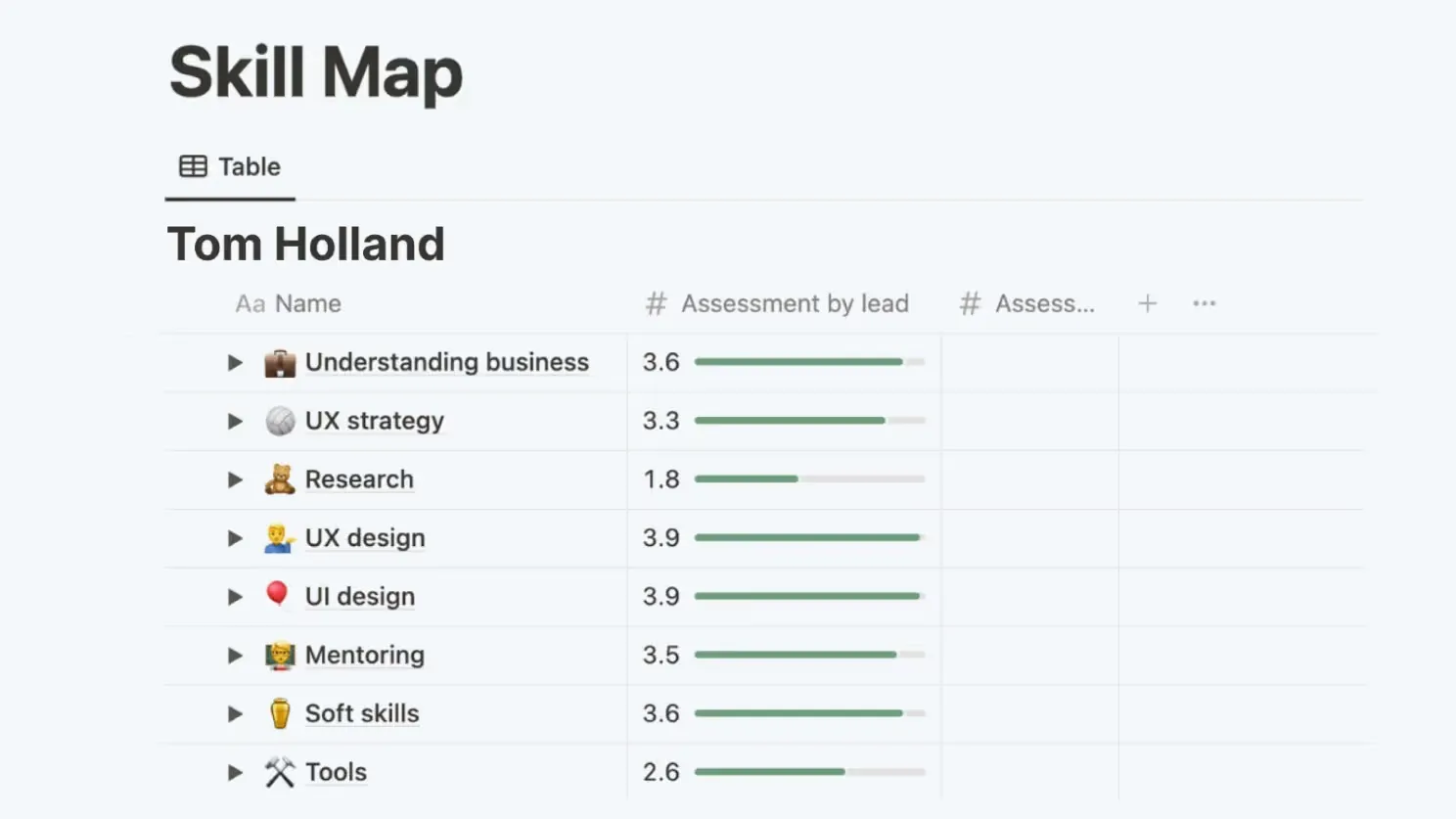
It's time to add their competency cards. Notion has synced blocks that help us sync
grade descriptions and databases that can be connected to pages. As a result, each
designer's page has a smart table of their skills.
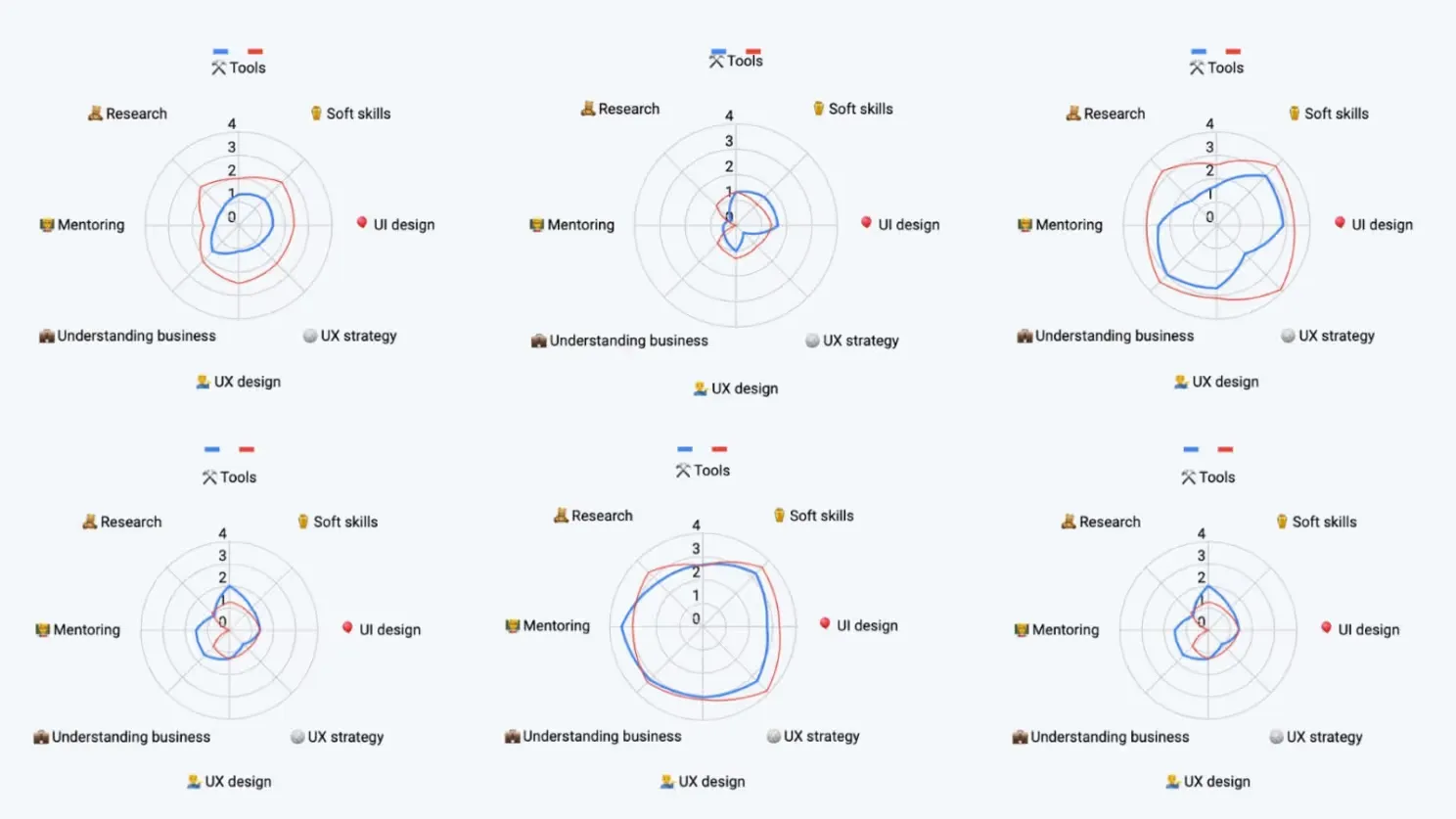
The only thing stopping us was the lack of charts in Notion. We wanted to compare
designers to each other and get an overview of what was going on. Thanks to ChatGPT, I
quickly wrote a script to export the Notion database to Google Sheets and make charts
there.
We also made a graph to look at the overall situation. These are our expectations from
the designers in the company.
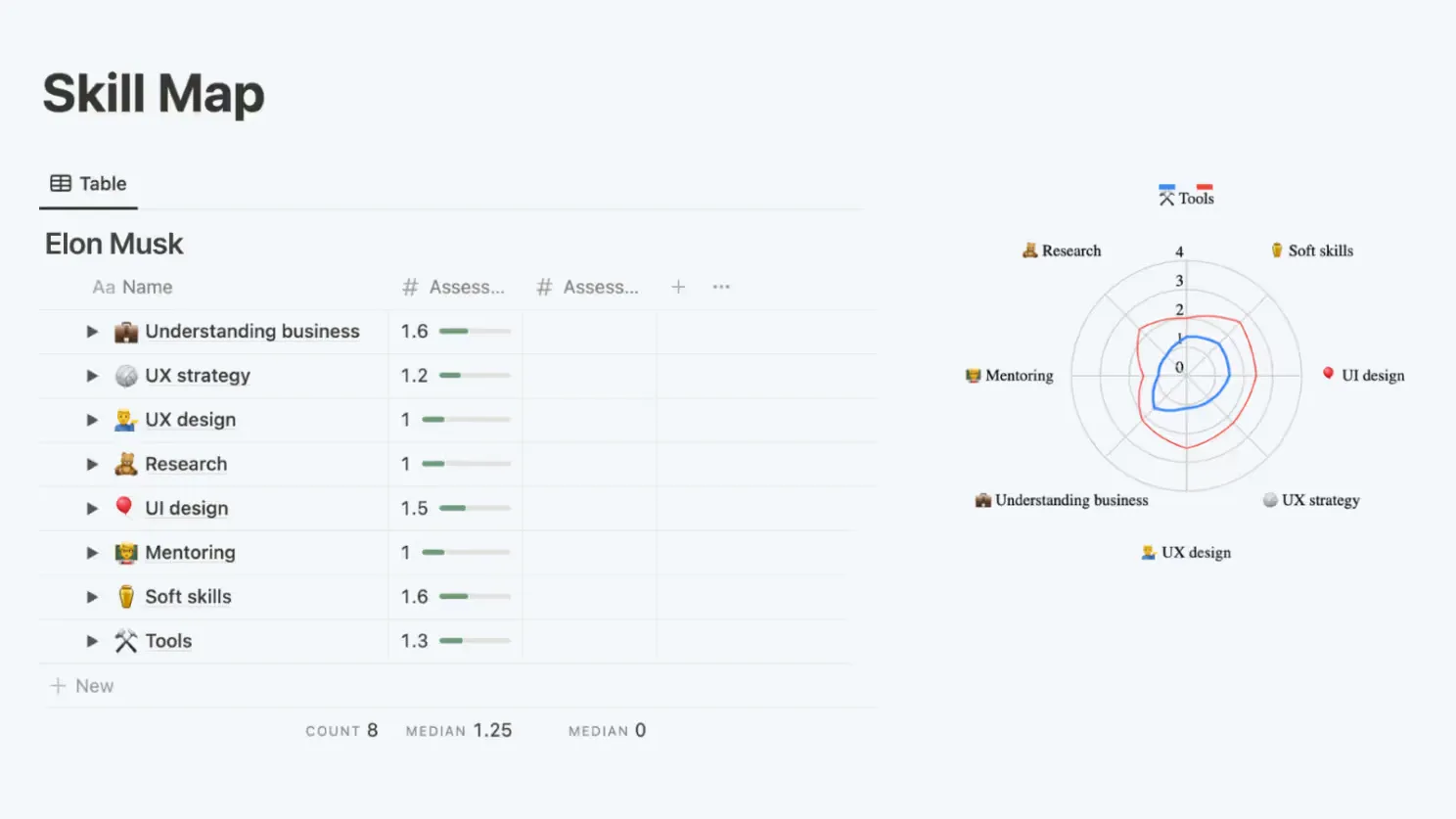
The script is now on the server and runs every day via Cron. Plus, you can integrate
everything from Google back into Notion. So, the designer's page now looks like this.
Blue is the designer's skills and red is our requirements for that grade.
We review our designers every six months and set new goals based on the results. New
designers are evaluated after their probation period.
Conclusion
Creating this skillmap was a complex process that took all summer, involving multiple
revisions to quell any internal doubts. Thanks to Roberts Kaplans and Annet Akopyan
for their contributions! If you're interested in our detailed skill descriptions,
we've made the Skillmap available here for free use.